
Blog
- Product OpenDesign 0.19.1: Design with DeepSeek Harness Product
OpenDesign 0.19.1: Design with DeepSeek Harness
OpenDesign 0.19.1 makes DeepSeek Harness a first-class native design runtime, with live model and reasoning discovery, structured streaming, session resume, reliable cancellation, faster project creation, and steadier team workspaces.
August 14, 2026 6 min read Read → -
 Product
 OpenDesign 0.18.0: design team workspace, now in Codex
open-design-v0.18.0 — 115 PRs from 22 contributors in two days. Codename "Design Team Workspace. Now in Codex." OpenDesign gives design teams a shared home for projects, comments, design systems, plugins, skills, and workspace billing — then brings that creative engine directly into Codex.
August 5, 2026 7 min read Read → -
 Product
 OpenDesign 0.17.0: OpenDesign for Codex
open-design-v0.17.0 — 62 PRs from 23 contributors in 11 days. Codex now has its own design workspace: call @open-design from a conversation, turn a brief into a real Preview or Studio artifact, and finish the visual details directly on the canvas instead of prompting around every small correction.
August 3, 2026 7 min read Read → -
 Product
 OpenDesign 0.16.0: reliable delivery
open-design-v0.16.0 — 92 PRs from 20 contributors in five days. Codename "Reliable Delivery." Visual direction now follows whatever you are actually making, automatic updates take effect properly, long tasks keep their answer and the files that came with it, and previews stop fighting the frame. Plus a message center inside the app — and the 0.16.1 patch that cleared the last thing covering your canvas.
July 22, 2026 7 min read Read → -
 Product
 OpenDesign 0.15.1 — Sharper Vision, Longer Flow
0.15.1 sharpens the OpenDesign Agent: finer image detail, smoother long-session recovery, in-chat clarifying questions, and more model runtimes — plus HTML, deck-export, and desktop fixes.
July 17, 2026 3 min read Read → - Product
OpenDesign 0.15.0: cost less, ship faster
open-design-v0.15.0 — 118 PRs from 34 contributors in four days. Codename "Cost Less. Ship Faster." A leaner Design System Prompt cut time-to-first-token by 49.5%, end-to-end duration by 21.2%, and average input tokens by 25.1% in representative runs. The rest of the release smooths the whole creative loop: decks that feel like a workspace, website clone from a URL, conversations turned into motion, and failures that finally explain what to do next.
July 14, 2026 7 min read Read → - Tools & Skills
Claude PPT Skills: How to Make a Slide Deck with Your Coding Agent
You can now hand slide-making to a coding agent. This is an honest guide to Claude PPT skills in 2026 — what they are, the open-source ones worth installing (frontend-slides, guizang, dashiAI and more), a scorecard, how to actually use one, and where an agent-native design workspace fits when a skill runs out of road.
July 10, 2026 9 min read Read → - Tools & Skills
codex-ppt-skill: Image-Forward PPT Decks with a Coding Agent
codex-ppt-skill is an open-source skill that pairs your coding agent with GPT-Image-2 to build image-forward PowerPoint decks — every slide a designed image, not a bullet list. Here's what it is, when image-first slides are the right call, how to use it, an honest look at the trade-offs, and where an agent-native design workspace takes over.
July 10, 2026 6 min read Read → - Tools & Skills
dashiAI-ppt-skill: Editable Presentations From a Coding Agent
Most coding-agent PPT skills hand you HTML you can only re-prompt. dashiAI-ppt-skill is the one that exports browser-editable decks — so a non-developer can still tweak the result. Here's an honest guide: what it is, its dozen themes, how to install and use it, the AGPL-3.0 catch, and where an agent-native design workspace takes over.
July 10, 2026 6 min read Read → - Tools & Skills
frontend-slides: Make Web Slides with a Coding Agent
frontend-slides is the most-starred open-source PPT skill for coding agents — it builds slide decks as clean, modern web pages you present in the browser. Here's what it is, how to install and use it, what it's genuinely good at (and its limits), how it compares to other Claude PPT skills, and where an agent-native design workspace picks up when a single skill runs out of road.
July 10, 2026 6 min read Read → - Tools & Skills
guizang-ppt-skill: Editorial HTML Decks with a Coding Agent
guizang-ppt-skill is the 20.8k-star coding-agent skill that turns a prompt into a genuinely designed HTML deck — editorial magazine layouts and Swiss-grid typography, not another template. Here's what it is, how to use it, the honest notes (AGPL-3.0, HTML output), how it compares to other Claude PPT skills, and where an agent-native design workspace fits.
July 10, 2026 6 min read Read → - Tools & Skills
Marp: The Markdown Presentation Tool (and How to Export to PowerPoint)
Marp is the open-source Markdown presentation ecosystem — write slides in Markdown, then use the Marp CLI to export HTML, PDF, or PowerPoint. This guide covers Marp themes, Markdown authoring, marp-cli export to pptx (as images), how it compares to reveal.js and Slidev, and where an agent-native design workspace fits.
July 10, 2026 7 min read Read → - Tools & Skills
ppt-master: Editable PowerPoint From Any Document, Built by an Agent
ppt-master is the 38k-star open-source project that turns any document into a real, editable PowerPoint — native shapes and animations, not slides-as-images. Here's what it is, how the agent workflow works, an honest look at where it fits among the Claude PPT skills, and where an agent-native design workspace picks up when a one-off deck isn't enough.
July 10, 2026 6 min read Read → - Tools & Skills
reveal.js: Themes, Export & How It Compares to the Alternatives
reveal.js is the open-source HTML presentation framework with 71.9k GitHub stars — you author slides in HTML or Markdown and present in any browser. Here's an honest guide: how themes, templates and examples work, how PDF and PowerPoint export really behaves, how it compares to Slidev and Marp, and where an agent-native design workspace fits.
July 10, 2026 7 min read Read → - Tools & Skills
Slidev: Themes, Examples & How to Export to PowerPoint
Slidev is the open-source, developer-first presentation tool with 47.6k GitHub stars — you author slides in Markdown with embedded Vue components and present in the browser. Here's an honest guide: how themes and examples work, how PDF and PowerPoint export really behaves, how it compares to Marp and reveal.js, and where an agent-native design workspace fits.
July 10, 2026 7 min read Read → - Product
OpenDesign 0.14.0: the inspiration time machine
open-design-v0.14.0 — 125 PRs from 36 contributors in five days. Codename "Inspiration Time Machine." Too many good ideas still vanished into the flow: a promising sketch, a useful source, a better earlier version, or the exact moment a draft started to go wrong. 0.14.0 keeps more of the work alive — sketch first in plan mode, trace the inputs feeding the composer, step back through HTML version history, and recover the thread instead of losing the spark.
July 8, 2026 7 min read Read → - Product
OpenDesign 0.13.0: stay in flow
open-design-v0.13.0 — 116 PRs from 26 contributors in six days. Codename "Stay in Flow." Long design sessions used to break on every interruption: a run lost its place, a model picker made you guess, a Cloud balance check hid behind a retry, a finished deck needed one more export detour. 0.13.0 turns those into a calmer loop — resume the work, see what's happening, pick the right model faster, and hand off real files without leaving OpenDesign.
July 2, 2026 7 min read Read → - Community
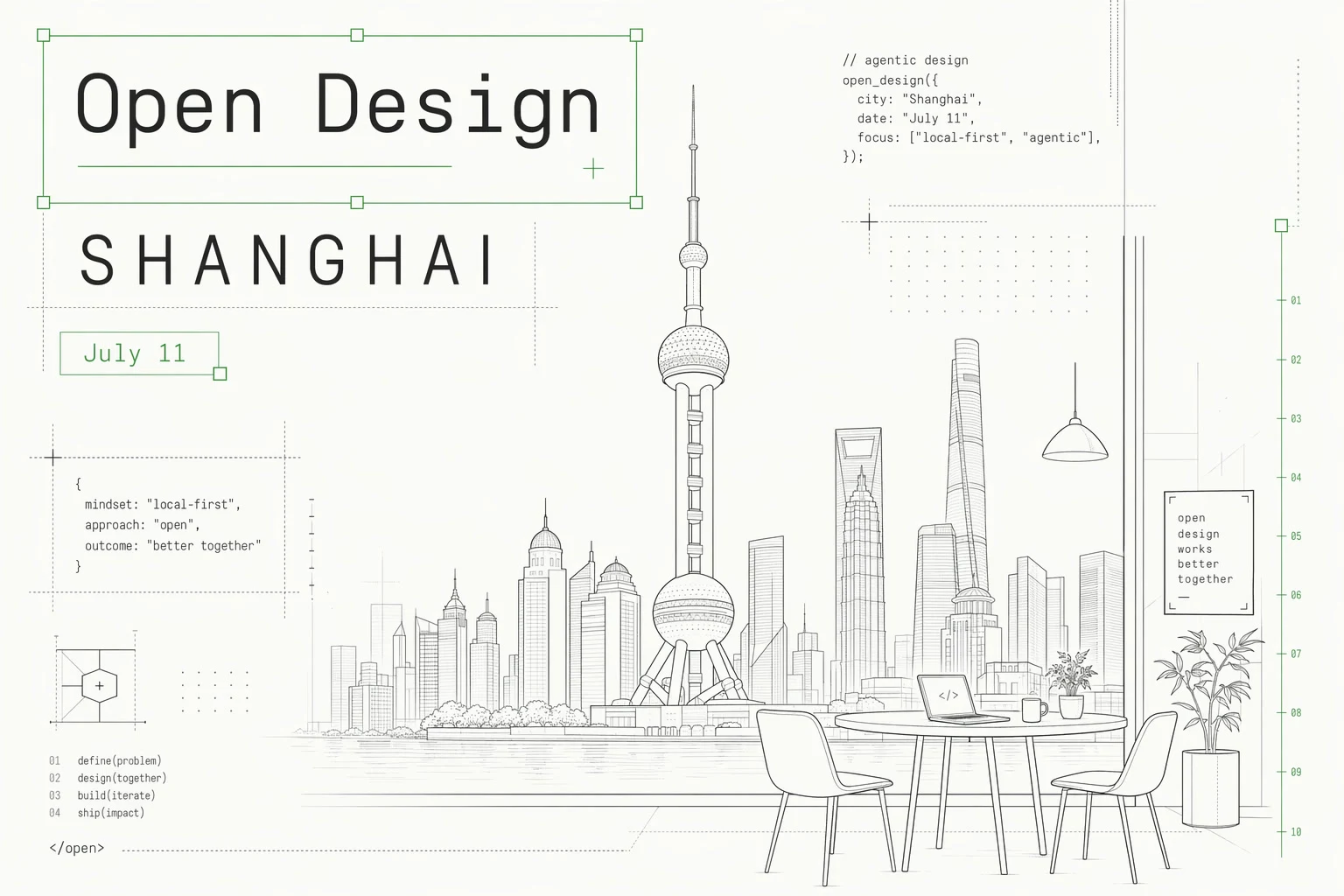
OpenDesign AI Workshop is coming to Shanghai
A hands-on Shanghai workshop for students, developers, designers, and AI tool builders to turn prompts and references into real AI artifacts.
July 2, 2026 3 min read Read → - Guides
Best AI Design Agents in 2026: An Honest, Tested Guide
"AI design agent" means three different things in 2026 — a creative cloud suite, a task bot, or an agent that turns your design into shipped code. Most lists blur them together. Here's the honest map of the best AI design agents, what each category is actually for, and the one question that tells you which kind you need.
June 30, 2026 8 min read Read → - Guides
Best AI Prototyping Tools in 2026: An Honest, Tested Guide
The best AI prototyping tools in 2026 split on one thing the listicles skip: is the prototype throwaway, or does it become the product you ship? Here's the honest map — mockup prototypes, code prototypes, planners, and agent-native pipelines — and how to pick the one that matches what you'll do next.
June 30, 2026 9 min read Read → - Guides
Best AI Design Tools in 2026: An Honest, Tested Guide
Most "best AI design tools 2026" lists rank the prettiest demo and skip the one question that actually decides your pick: does the design survive to shipped code you own? Here's the honest map — a scorecard across six categories, the tools worth your time for UI/UX, product, and web design, and the category every other list forgets.
June 30, 2026 10 min read Read → - Guides
Best Bolt.new Alternatives in 2026: An Honest Comparison
Looking for a Bolt.new alternative? The real question isn't which tool generates an app fastest — it's what you're left holding afterward. Here's an honest map of the best Bolt.new alternatives in 2026, grouped by what you're actually leaving Bolt for: reliability, control, infrastructure, or owning your output.
June 30, 2026 9 min read Read → - Guides
Best Design-to-Code Tools in 2026: An Honest, Tested Guide
Design-to-code tools split into four approaches that look similar in a demo and behave nothing alike on a real project. Here's the honest map of the best design-to-code tools in 2026 — Figma exporters, AI app builders, handoff tools, and agent-native pipelines — and the one question that tells you which kind you actually need.
June 30, 2026 9 min read Read → - Guides
Best Figma Alternatives in 2026: An Honest, Tested Guide
Most "Figma alternatives" lists pretend one tool can replace Figma. None can — not entirely. What actually helps is knowing which part of Figma you're trying to leave: the price, the canvas, the lock-in, or the gap between design and code. Here's an honest map of the best Figma alternatives in 2026, grouped by exactly that.
June 30, 2026 9 min read Read → - Guides
How to Use Claude Code for Frontend Design (2026 Guide)
Claude Code can produce genuinely good frontend design — but only with the right setup and prompting. Here's the practical guide: install the frontend-design plugin, prompt with aesthetic direction instead of pixels, guide the design dimensions, and take it from a one-off screen to an ownable design system.
June 30, 2026 9 min read Read → - Guides
Best Lovable Alternatives in 2026: An Honest Comparison
Lovable is the most refined prompt-to-app builder out there — so if you're hunting for a Lovable alternative, it's usually for a specific reason: credits that add up, lock-in to their stack, or wanting to own the pipeline. Here's an honest map of the best Lovable alternatives in 2026, grouped by why you're actually leaving.
June 30, 2026 9 min read Read → - Guides
Best v0 Alternatives in 2026: An Honest Comparison
Most people searching for a v0 alternative aren't unhappy with the UI it generates — they hit the per-iteration pricing, or they want a whole app instead of components, or they want to own the pipeline. Here's an honest map of the best v0 alternatives in 2026, grouped by why you're actually leaving.
June 30, 2026 8 min read Read → - Community
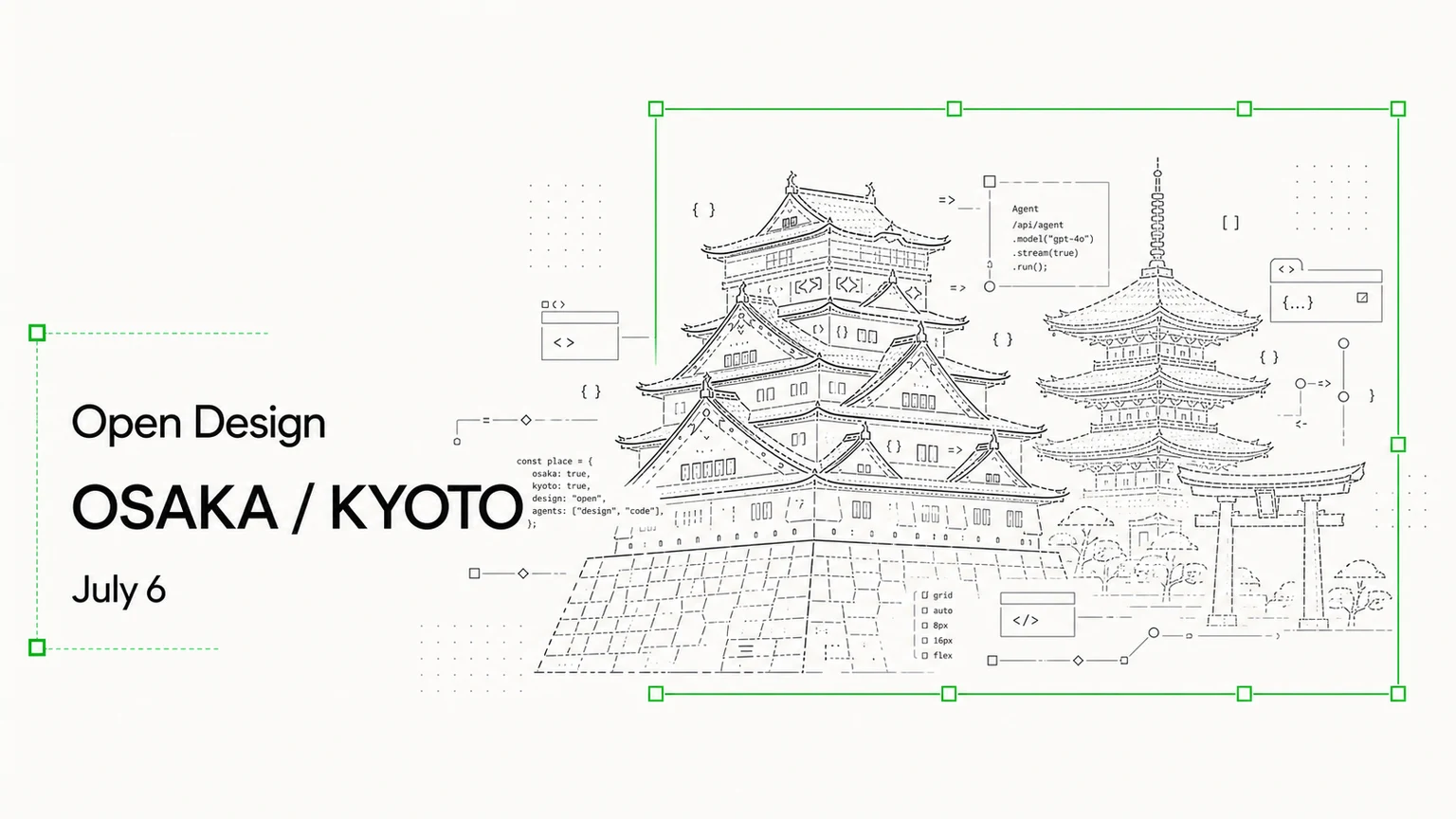
OpenDesign is coming to Osaka / Kyoto
A small meetup for designers, builders, and AI-native teams exploring how agents change design, prototyping, and product work.
June 29, 2026 3 min read Read → - Product
OpenDesign 0.12.0: your brand is a design system
open-design-v0.12.0 — 103 PRs from 30 contributors in six days. Codename "Brand-backed Design System." Point OpenDesign at a live site, drop in a Figma file, or clip a page in your browser, and it lifts the real brand — colors, type, voice — into a reusable design system you can build from on every project after.
June 26, 2026 7 min read Read → - Guides
Vibe Design Tools: An Honest Guide to What Works
Half the results for "vibe design tools" are actually vibe coding tools — and that's the most useful thing the search results will tell you. Here's the honest map: the one question that should decide your pick, a scorecard across five tool categories, and the trap almost every listicle sells you.
June 18, 2026 9 min read Read → - Guides
Vibe Design vs Vibe Coding: Where They Split and Why It Matters
Vibe design and vibe coding aren't rivals — they're two halves of one motion, and the gap between them is where teams bleed. Here's the real difference, the two failure modes nobody warns you about (the mockup cliff and design drift), and a framework for which to reach for when.
June 18, 2026 9 min read Read → - Guides
Vibe Design with Google Stitch: What It Nails, Where It Traps You
Google coined the term "vibe design" with Stitch — and Stitch is genuinely good. Here's the honest hands-on: what it nails, the lock-in the demos don't show you, and when owning the loop beats the convenience.
June 18, 2026 8 min read Read → - Product
OpenDesign 0.11.0: the Bazaar
open-design-v0.11.0 — 137 PRs from 57 contributors in four days. Codename "the Bazaar." The plugin gallery now plays a live clip of every real output, whatever coding agent you already use just snaps in, and a newcomer's first run is a guided welcome instead of a locked gate.
June 17, 2026 7 min read Read → - Guides
What Is Vibe Design? The 2026 Guide to Designing by Intent
Describe the feeling and direction of a UI and let AI generate it — but most tools stop at a pretty mockup. Here's what vibe design really is, vibe design vs vibe coding, and how to take it from prompt to shipped code.
June 17, 2026 9 min read Read → - Product
OpenDesign 0.10.0: the all-in-one design workspace
open-design-v0.10.0 — 405 PRs from 68 contributors in nine days. Codename "the all-in-one Agentic design workspace." This release collapses the whole flow — concept, refinement, and handoff — into a single window, so the work stops living across a dozen tabs.
June 11, 2026 7 min read Read → - Product
OpenDesign 0.9.0: design for everyone
OpenDesign 0.9.0 is the install-and-create release. No API-key scavenger hunt, no three-CLI setup — open the app, sign in once, pick a model, and start building. Plus a bigger agent bench, a real plugin library, and easier installs on Windows and Linux.
June 2, 2026 6 min read Read → - Guides
The open-source alternative to Figma
Figma is excellent and it isn't going anywhere. But the file is proprietary, the seats are a subscription, and the canvas lives in someone else's cloud. Here's the honest read on when Figma is still the answer — and when owning an agent-native, local-first workflow wins.
May 26, 2026 7 min read Read → - Product
OpenDesign 0.8.0: everything is a plugin
OpenDesign 0.8.0 isn't a release, it's a rebuild. A small plugin engine, a headless-by-default CLI, packaged auto-update on macOS and Windows, and 149 design systems shipped in seven days.
May 22, 2026 7 min read Read → - Community
The layout layer the canvas used to hide
A community reply on the 0.8.0 preview named the real question behind agent-native design: if the canvas stops being the work unit, how do users still understand layout?
May 18, 2026 7 min read Read → - Use cases
How to port a Figma workflow into an OpenDesign plugin
The 0.8.0-preview thread asks contributors to port old design workflows one plugin at a time. Here is the concrete path for a Figma export, token sync, or brand kit.
May 18, 2026 8 min read Read → - Guides
BYOK reality check: 5 things that break in OpenDesign today
We promised BYOK as first-class. Five open bug threads from this week — Gemini, DeepSeek, OpenCode, Windows — show where the seams are still rough, and what to use until each fix lands.
May 14, 2026 9 min read Read → - Guides
31 skills, 72 systems: how the OpenDesign library works
A walk through the four primitives that make OpenDesign composable: skills, systems, adapters, and the daemon. With concrete examples of how a Markdown file becomes a pixel-perfect deliverable.
May 13, 2026 8 min read Read → - Guides
BYOK design workflow: run Claude, Codex, or Qwen on your own key
Most AI design tools quietly add a margin to every token you spend. OpenDesign takes the opposite stance — bring your own model key, pay the provider directly, and keep full control of where inference runs. Here's how the BYOK layer actually works.
May 13, 2026 8 min read Read → - Product
Why we built OpenDesign as a skill layer, not a product
Most AI design tools try to replace the agent already on your laptop. OpenDesign takes the opposite bet: ship a thin layer of skills, systems, and adapters that turn any coding agent into a design engine — without locking you into a new app.
May 13, 2026 8 min read Read →
No posts in this category yet. More field notes are coming.